 Tacuinum
“How was your ferritin last year?”
With Tacuinum, the answer is on your iPhone.
Scan or import your lab reports: Tacuinum reads the values, you confirm them, and every test is there over time, with the lab’s own ranges.

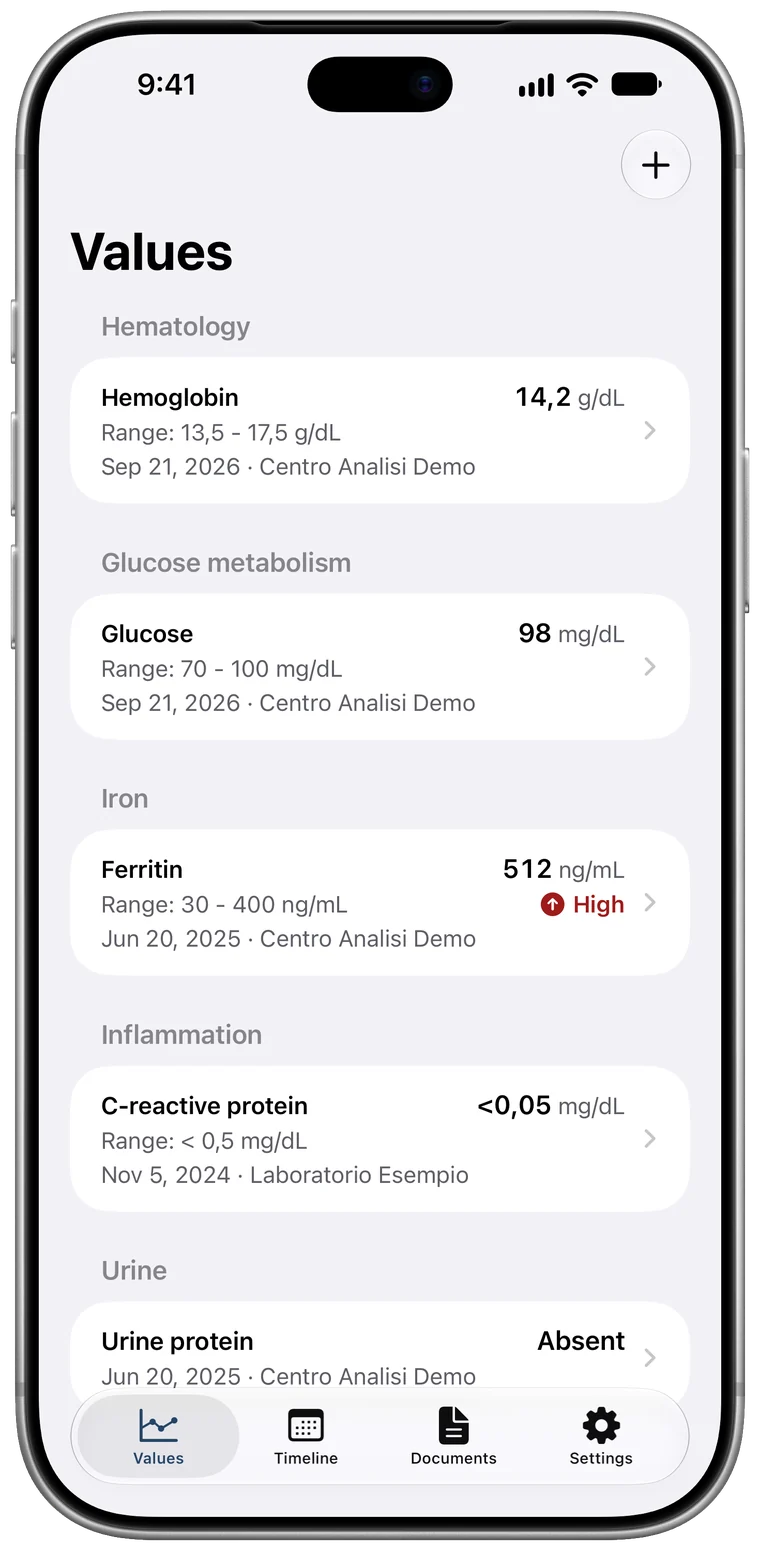
Reports in your email, on health portals, in your photos, in a folder. The value you need is always somewhere else.
Tacuinum puts them in order, in one place: your iPhone.
From the report to your medical history.
-
Scan or import.
Photograph the report with the camera, pick a photo, or import the PDF from Files, Mail or another app.
-
Tacuinum reads it.
Tests, results, units, ranges and flags, as the lab printed them. Designed for Italian reports, from any lab. All on your iPhone.
-
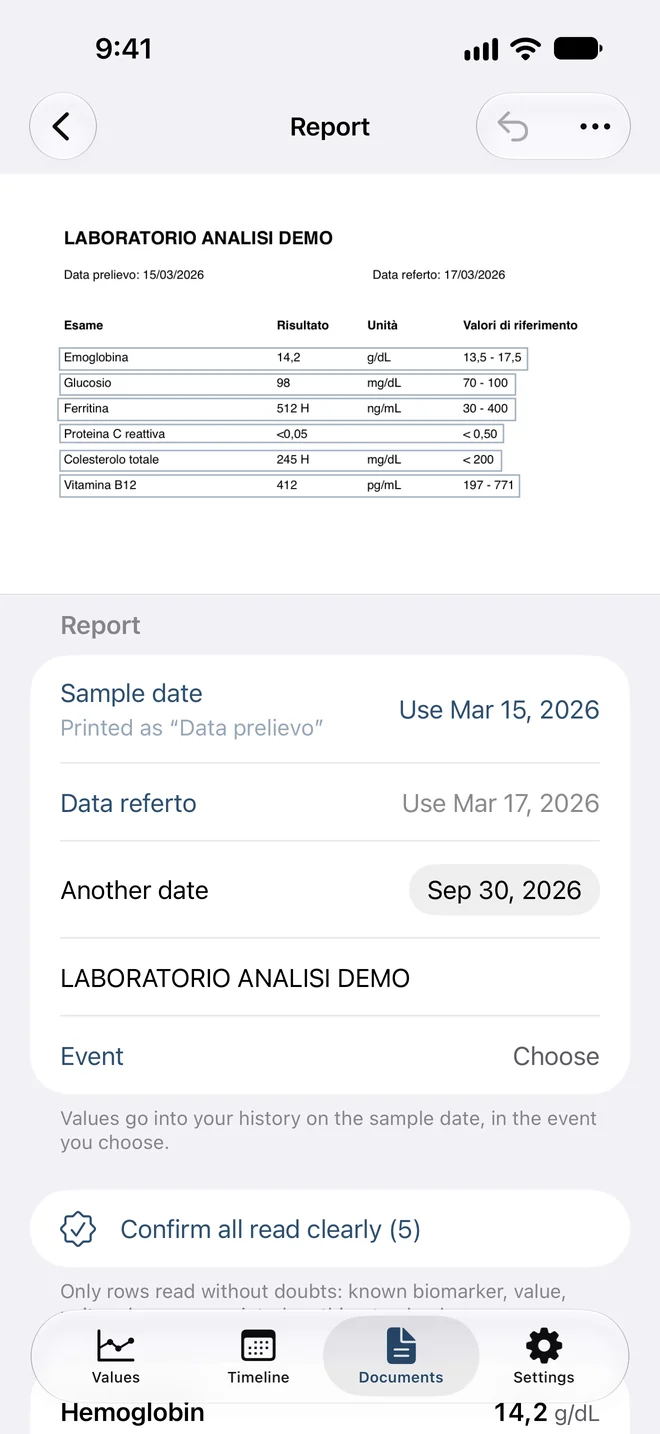
You confirm every value.
Each value sits next to the line it was read from. When something isn’t clear, Tacuinum tells you and waits: nothing enters your history without your confirmation.
Data prelievo: 15/03/2026Data referto: 17/03/2026
Confirm all read clearly (5)
Emoglobina14,2g/dL13,5 - 17,5
Hemoglobin14,2 g/dL
Range: 13,5 - 17,5 g/dL
Read clearlyConfirmed
Glucosio98mg/dL70 - 100
Glucose98 mg/dL
Range: 70 - 100 mg/dL
Read clearlyConfirmed
Ferritina512 Hng/mL30 - 400
Ferritin512 ng/mL
Range: 30 - 400 ng/mL High
Read clearlyConfirmed
Proteina C reattiva<0,05< 0,50
C-reactive protein<0,05
Range: < 0,50
No unit was read. Add it if the report prints one.Check
Colesterolo totale245 Hmg/dL< 200
Total cholesterol245 mg/dL
Range: < 200 mg/dL High
Read clearlyConfirmed
Vitamina B12412pg/mL197 - 771
Vitamin B12412 pg/mL
Range: 197 - 771 pg/mL
Read clearlyConfirmed
Every value, over time.
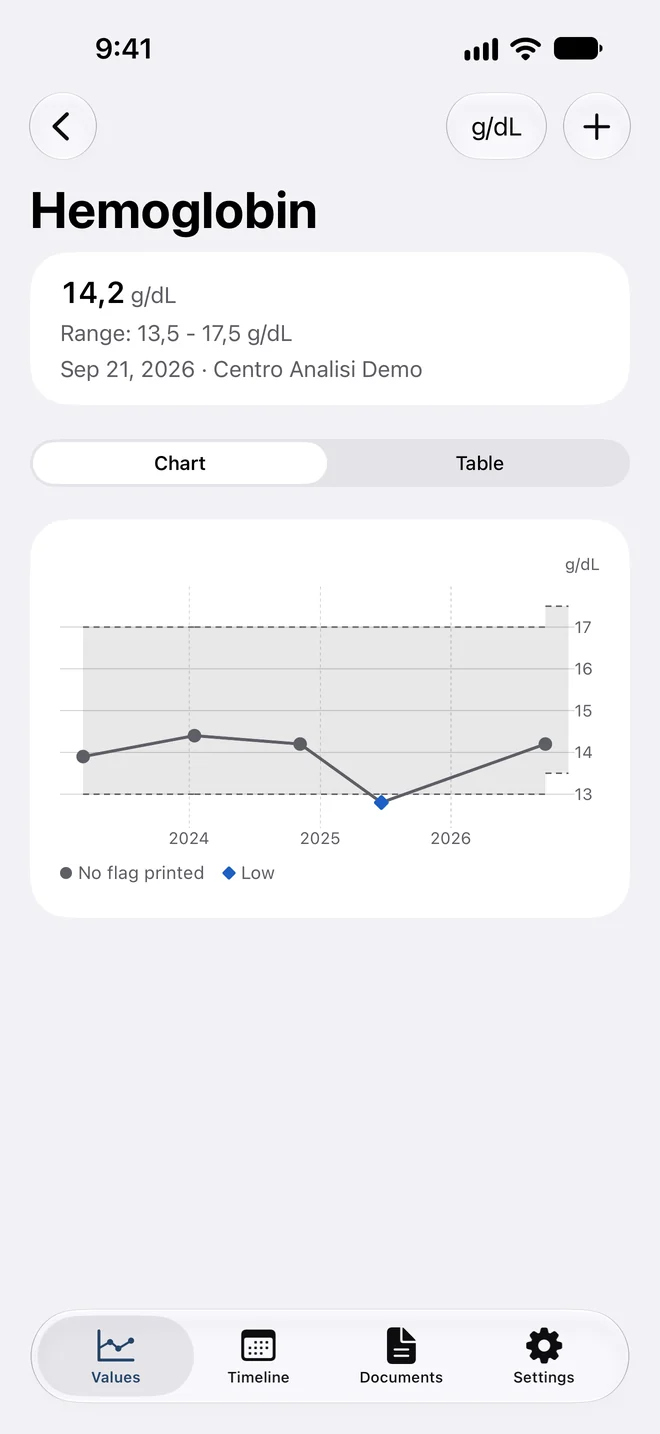
Every test has its chart, with the lab’s reference ranges, date by date.
Different units are converted only when it’s safe, and the printed value always stays visible.
The flags are the ones printed on the report: Tacuinum adds no judgement of its own.
Range: 30 - 400 ng/mL
Lab’s rangeNo flag printedHigh
There’s your answer.
As it looks in Tacuinum.
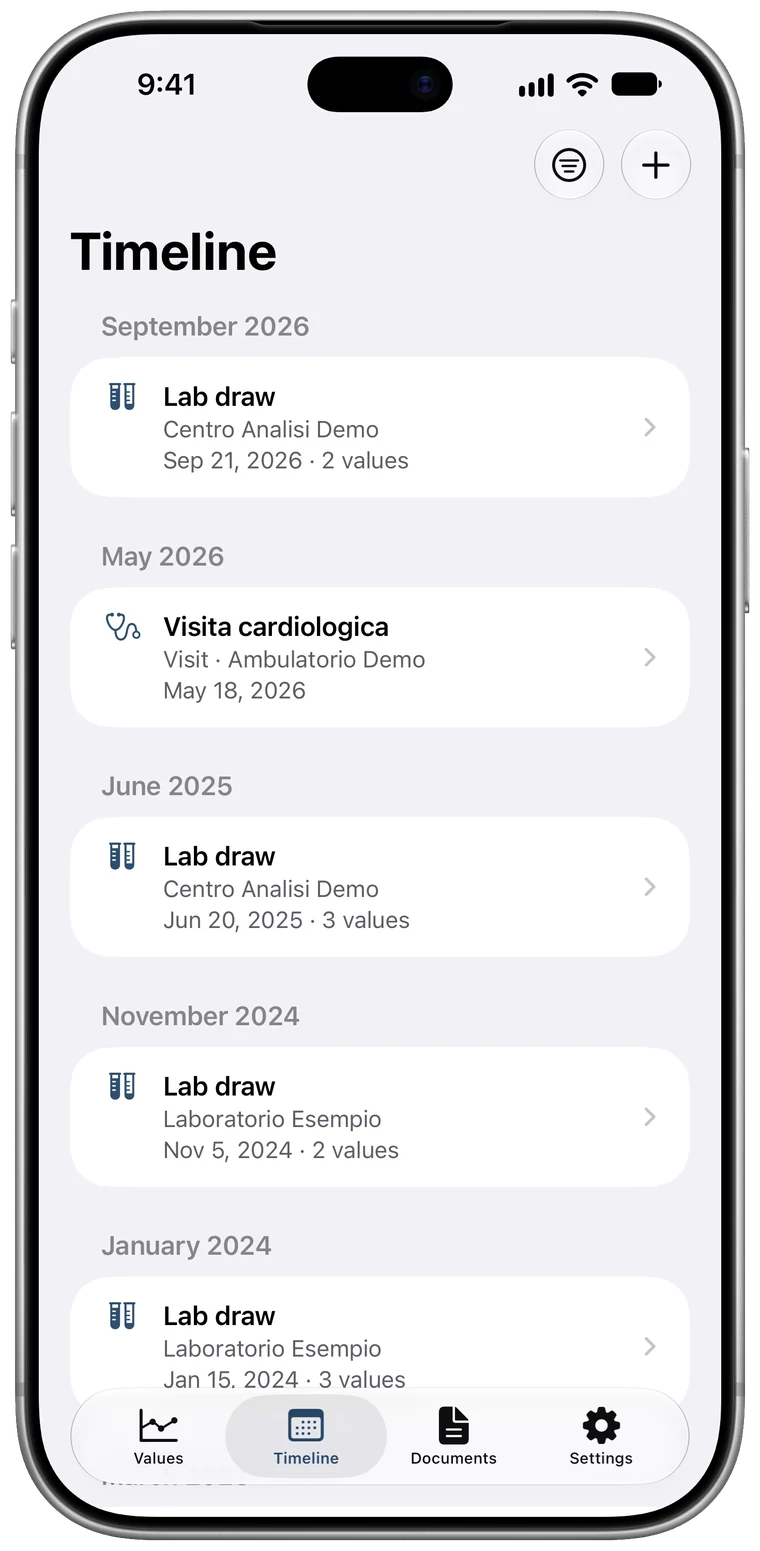
One history, in order.
The timeline
Lab draws, visits and exams by date, each with its values and the original documents.
Apple Health, if you want
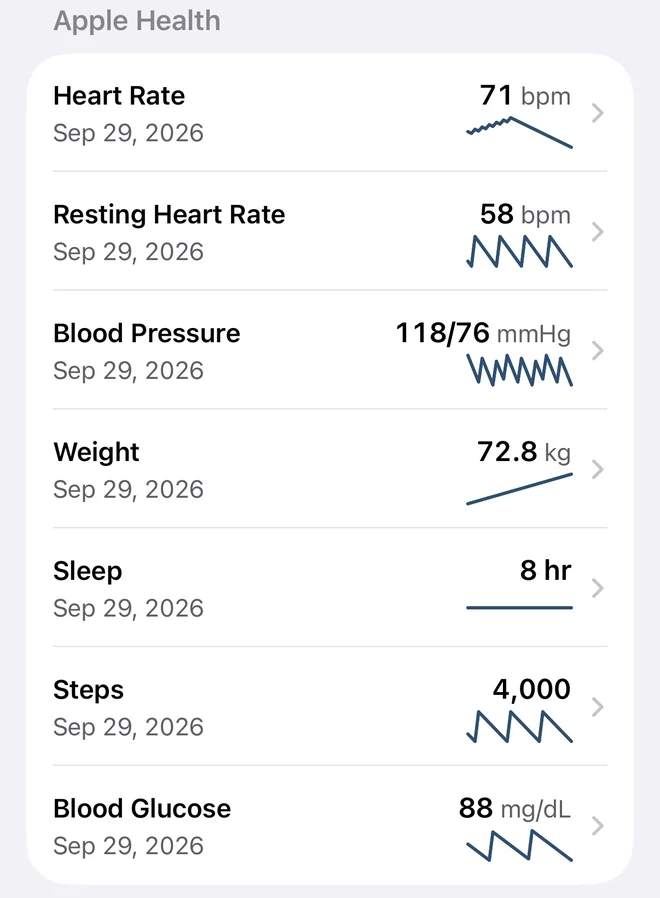
If you allow it, Tacuinum reads heart rate, blood pressure, weight, sleep, blood glucose, electrocardiograms and more from Apple Health, and shows them next to your lab results. It never writes to Apple Health.
By hand, too
A value you don’t have on paper? Add it yourself, with its unit and the lab’s range.
No account. No servers. Everything stays on your iPhone.
- Accounts to create
- none
- Servers for your data
- none
- Ads
- none
- Tracking
- none
- Data we collect
- none
- Where your reports are read
- on your iPhone
- Backups
- your device’s own, if you turn them on
On the App Store, the app’s privacy label reads “Data Not Collected”. Read the privacy policy
Why Tacuinum
Between the fourteenth and fifteenth centuries, in Lombardy, scribes and painters made the Tacuina sanitatis: illustrated books of health, one plate for every herb, fruit or season. Tacuinum is the Latin word behind the Italian taccuino, notebook.
From those books Tacuinum keeps the name and the order, not the advice: it is the notebook of your lab reports.
Questions
How much does it cost?
Tacuinum is free on the App Store.
Do I need an account?
No. There’s no account to create and nothing to send: open the app and add your first report.
Does it work with my lab’s reports?
Tacuinum is designed for Italian reports from any lab: it reads tables, columns, units, ranges and flags as printed. When a row isn’t clear, it tells you and you decide.
Which devices does it run on?
iPhone and iPad with iOS 26 or iPadOS 26, or later.
Where does my data go?
It stays on your device: Tacuinum has no servers and we receive nothing. As with other apps, the data is included in the device backups you turn on.
Does Tacuinum tell me whether a value is fine?
No. It shows values, ranges and flags as the lab printed them. Tacuinum isn’t a medical device, doesn’t give diagnoses and doesn’t give medical advice: always consult your doctor.
Is it available outside Italy?
For now only on the Italian App Store, in Italian and English.
More questions? Support · support@pirumsoft.com

Tacuinum
Your lab results, organized.